Budget meal planning
Set a grocery budget. Get a week of dinners that fits it.
Tell Kindly Fed what you can spend on groceries this week. It plans dinners for your whole family, prices the shopping list by the packages you’ll actually buy, and shows the checkout total against your budget before you set foot in the store.

Free to try: one full dinner and its shopping list every week.
- Checkout total up front
- Shared ingredients
- Real Kroger prices in the US
Updated
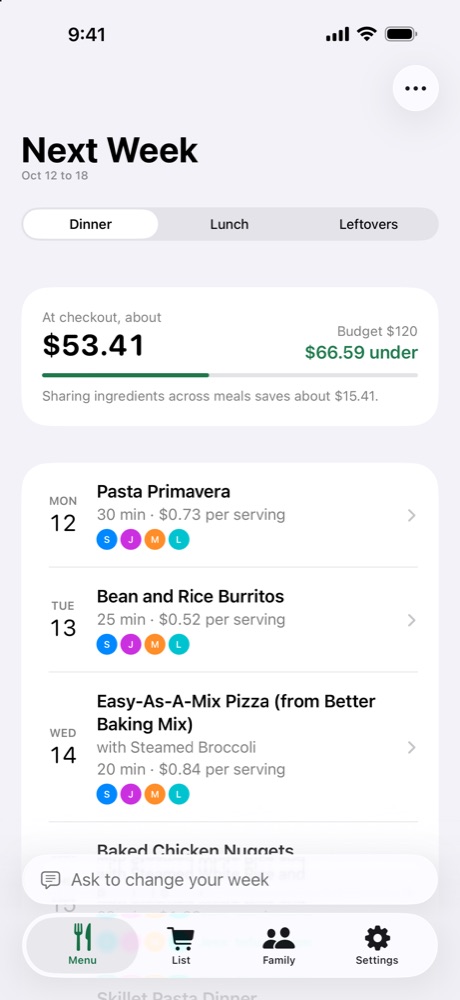
How the week stays under budget
Set your budget
Slide to a weekly amount or type any number. It covers the whole week’s shopping list and is compared with the checkout total.
Plan to the budget
The planner treats your budget as a ceiling. It doesn’t just pick the cheapest dinners, so the week still varies its proteins and cuisines.
Share ingredients
Dinners that use the same ingredients are planned together, so the rest of a bag of spinach doesn’t go to waste. The menu shows how much sharing saved.
Count whole packages
Prices are for the packages you pay for at the register, and Kindly Fed shows what’s left over for next week.
See it before you shop
Every dinner shows its cost per serving, and the menu shows the checkout total and how far under or over budget you are, before you pay anything.
Prices are estimates for typical stores in your area, marked Est., unless you pick a Kroger family store in the US, enter your own price or scan a receipt.
What the total counts
A week can look cheap per serving and still cost more at the register. Kindly Fed totals what you’ll actually pay.
| Kindly Fed | Adding up recipe costs | |
|---|---|---|
| The total | What you’ll pay at checkout, for whole packages | Only the amounts used, so it comes in under the register |
| Same ingredient twice | Bought once, used across the week | Easy to buy twice |
| What’s left over | Shown, and used first in next week’s menu | Easy to forget |
| Swapping a dinner | Each option shows what it adds or saves | Work it out again |
Ways to spend less
Swaps that show the price
Swap a dinner and each option shows what it adds or saves, and which other nights it shares ingredients with.
Use what you have
Add what’s in your fridge and pantry, or scan a receipt. Next week’s menu uses it first, starting with what spoils soonest.
Freeze leftovers
Freeze extra servings after dinner. Kindly Fed plans them for busy nights within 3 months, and there’s nothing to buy for that dinner.
Eating out
Mark a night as eating out and nothing is bought for it.
Packed lunches from dinner
Turn on packed lunches and Kindly Fed plans a little extra at dinner, so the next day’s lunch is ready.
Kroger prices and sales
In the US, pick a Kroger family store by ZIP code to price the list with its shelf prices and this week’s sales.
Budget weeks for real families
Example weeks planned by Kindly Fed, at estimated US prices.
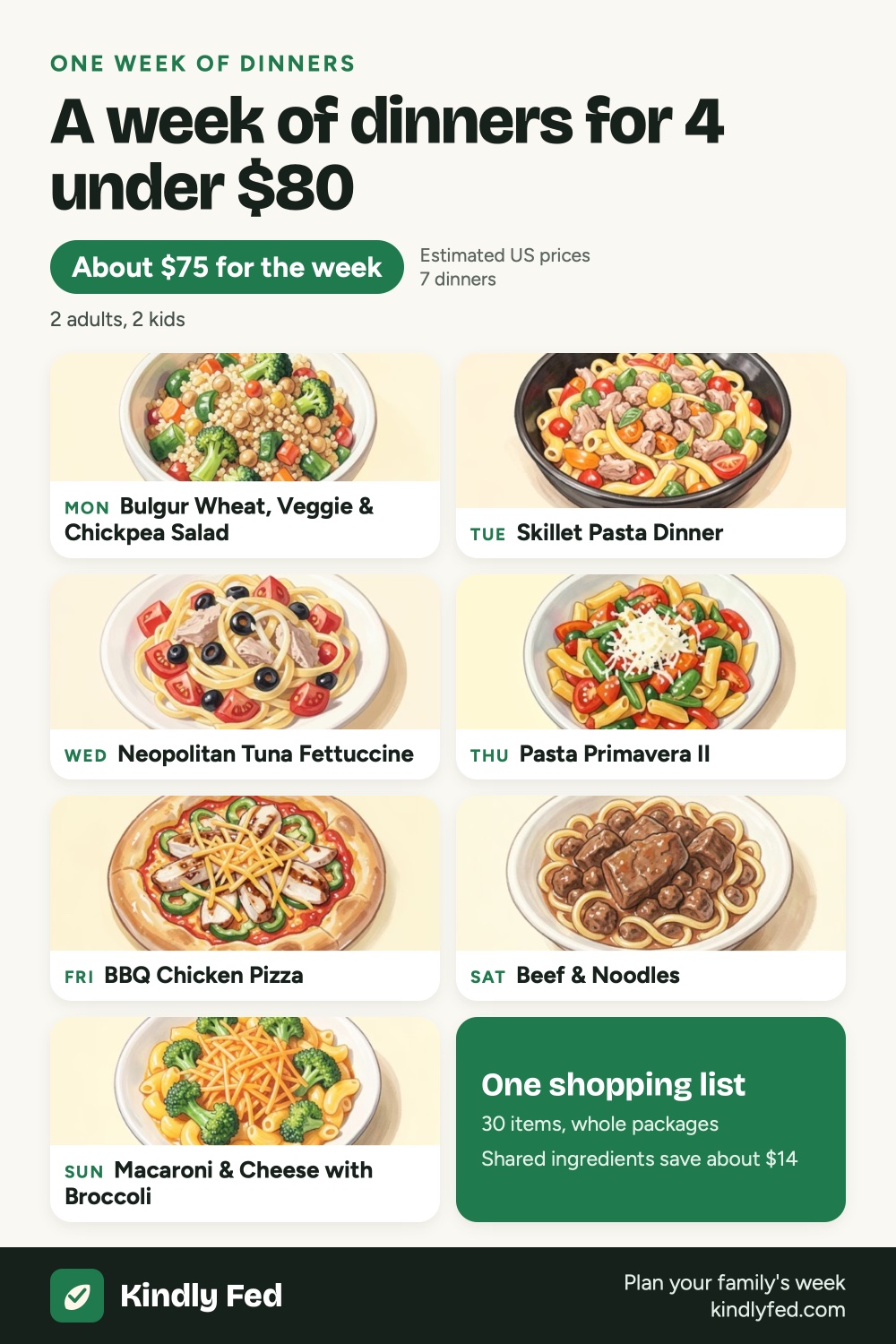 Budget weekly meal plan for a family of 4 under $80
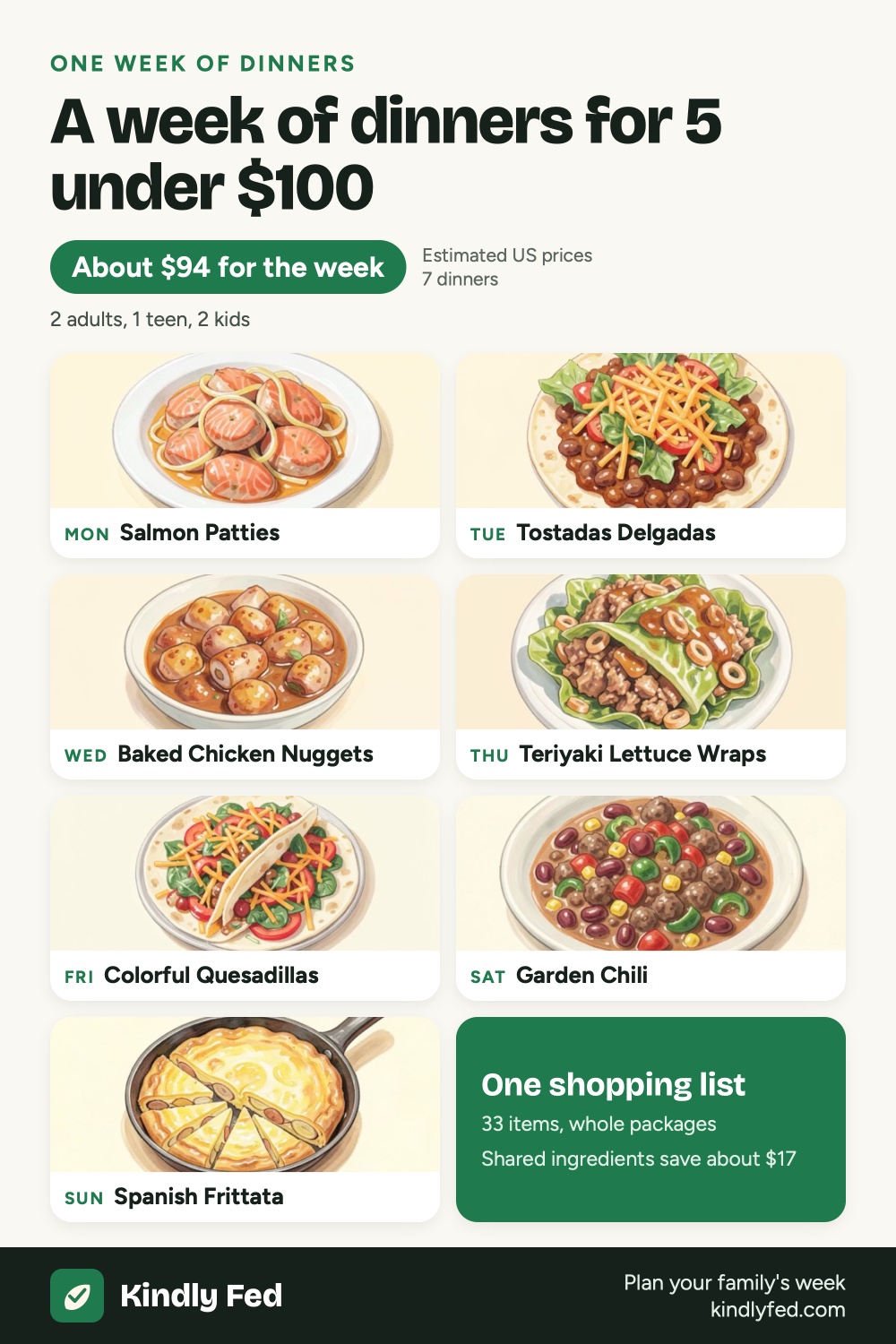 Budget weekly meal plan for a family of 5 under $100
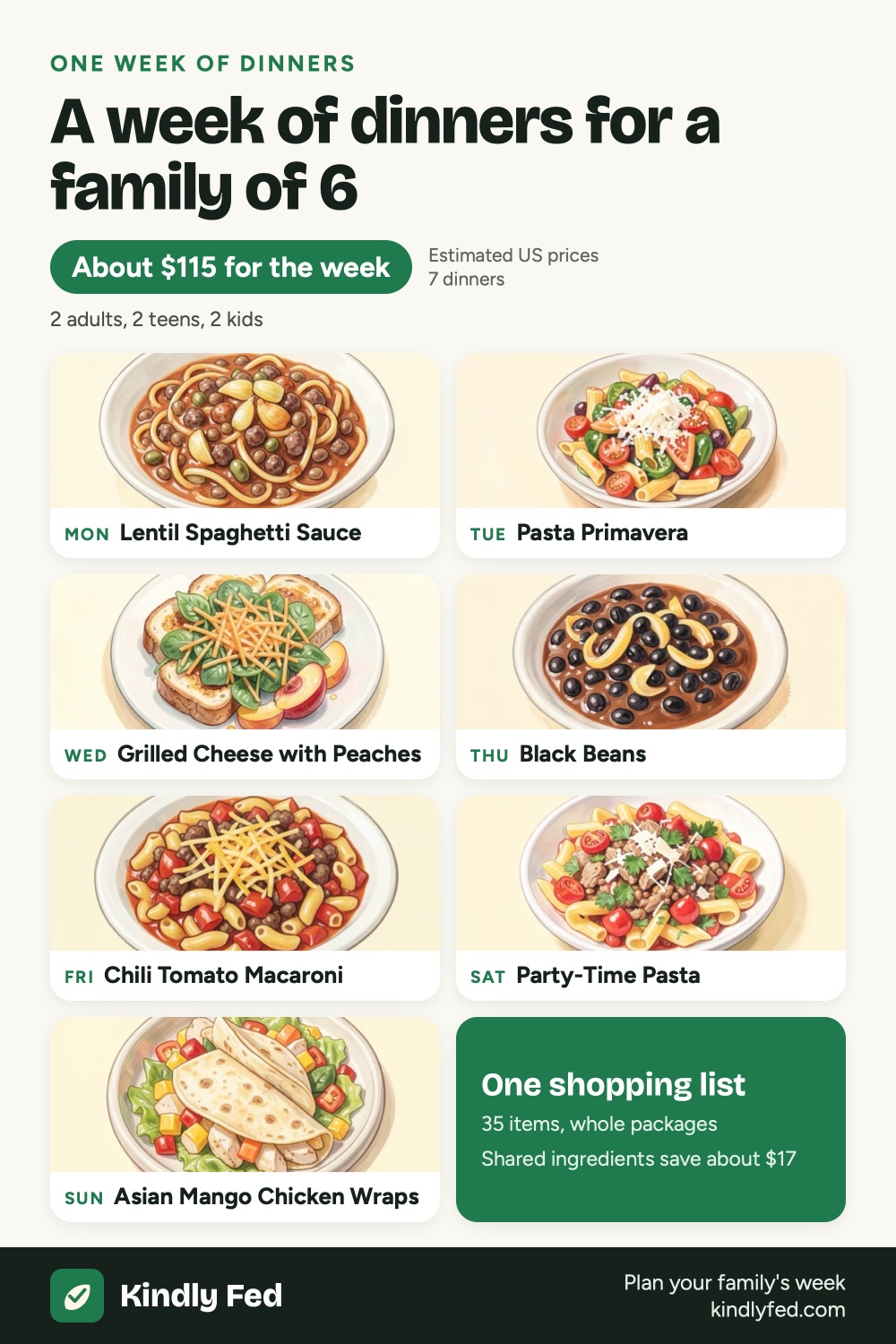 Budget weekly meal plan for a family of 6
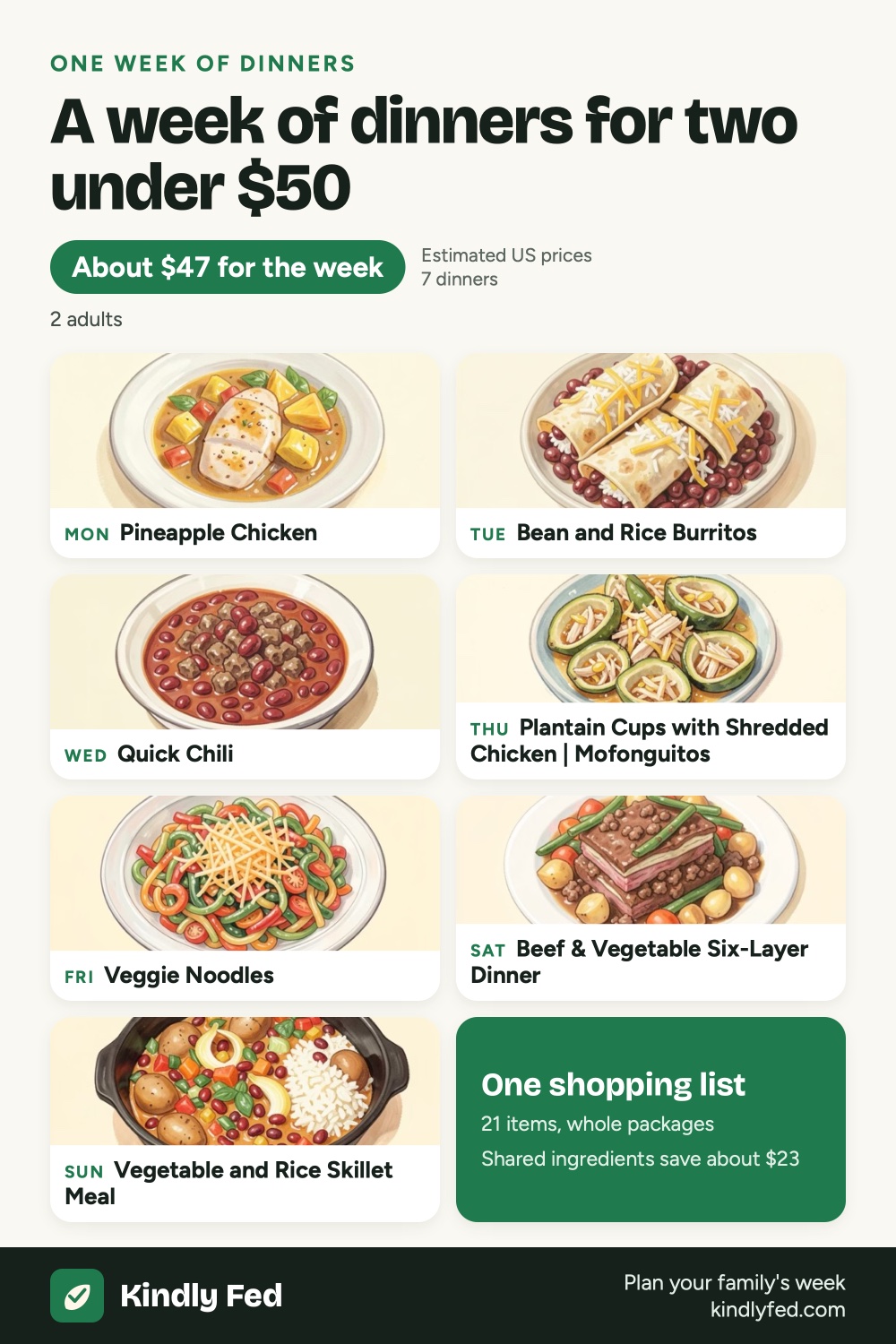 Weekly meal plan for two under $50
Questions
What if my budget is too low for my family?
Kindly Fed still plans the week and shows how far over budget the checkout total is. You can then raise the budget, mark a night as eating out, or swap a dinner for a cheaper one; each swap shows how much it saves.
How accurate are the prices?
At a Kroger family store in the US (Kroger, Ralphs, King Soopers, Fred Meyer, Harris Teeter and more), the list uses that store’s shelf prices. Everything else is our estimate for your area, marked Est. It gets closer when you change a price or scan a receipt.
Does the budget include breakfast and lunch?
It covers the whole week’s shopping list. If you turn on breakfast or packed lunches, their ingredients are in the same checkout total.
How much does Kindly Fed cost?
Planning the week and seeing every dinner and price is free, plus one full dinner and its shopping list each week. Every recipe and the full list cost $1.99 a month or $14.99 a year, both with a 7-day free trial, or $29.99 once for Lifetime. One purchase covers your Family Sharing group. Prices are in US dollars; the App Store shows yours in your currency.
More guides

Next week’s dinners, planned in two minutes.