1
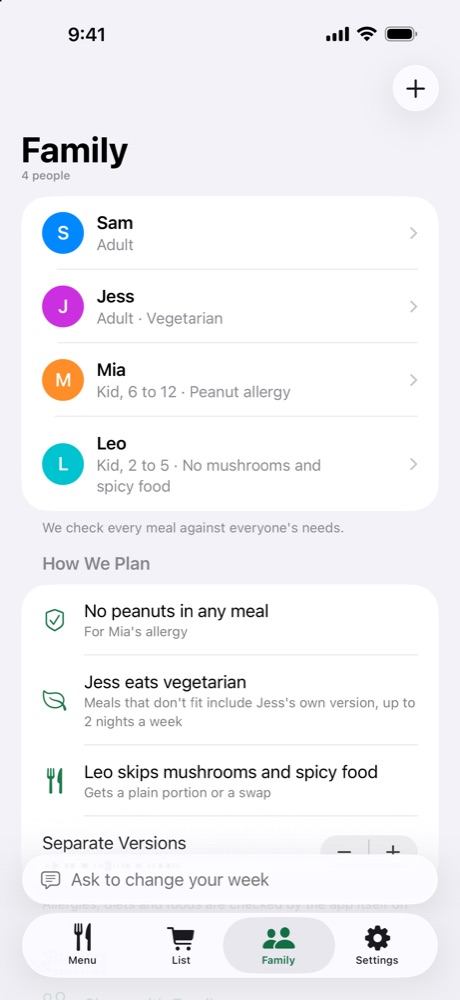
Tell us who’s eating
Add each person once: allergies, diet and the foods they won’t touch. When one person needs something different, they get their own version of that night’s dinner.
Family meal planner for iPhone and iPad
Tell Kindly Fed who’s eating — allergies, diets, picky eaters — and what you can spend. In about two minutes you get a week of dinners and one shopping list, priced by the package. You see all of it before you pay anything.

Free to try: one full dinner and its shopping list every week.
iPhone and iPad · iOS 26 or later · United States, United Kingdom, Canada, Australia and New Zealand



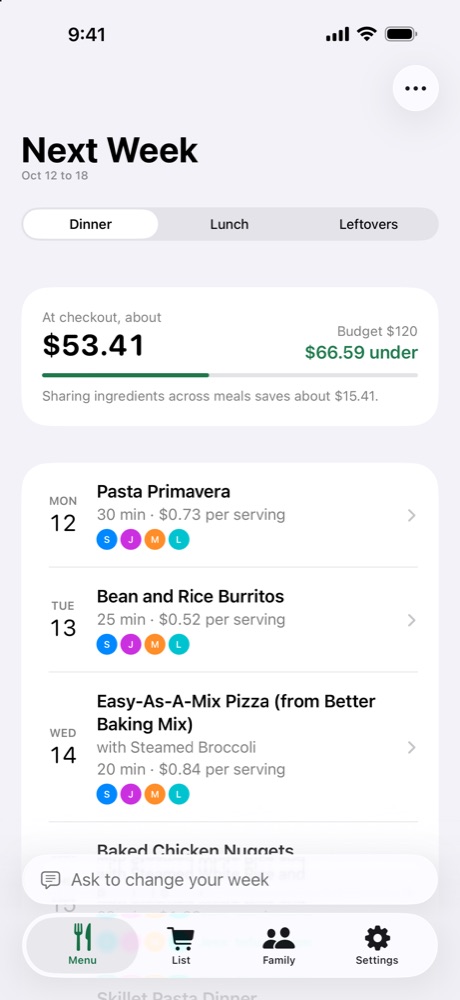
Menu first, payment later. The whole week, every price and the total, before any paywall. No weekly plans.
Allergies checked by code. On every dinner, every swap and every change. Not left to AI.
No account, no tracking. Your family’s details stay on your device.
Kindly Fed remembers your family, your stores and your budget, and plans around what’s already in your kitchen.
1
Add each person once: allergies, diet and the foods they won’t touch. When one person needs something different, they get their own version of that night’s dinner.
2
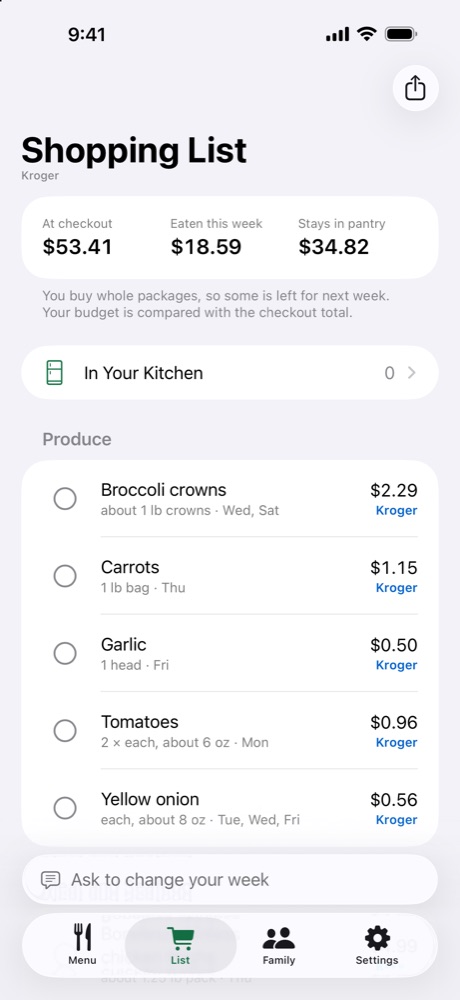
Ingredients shared across meals, whole packages, sorted by aisle. Real shelf prices at Kroger family stores in the US; everything else is our estimate, marked Est.
3
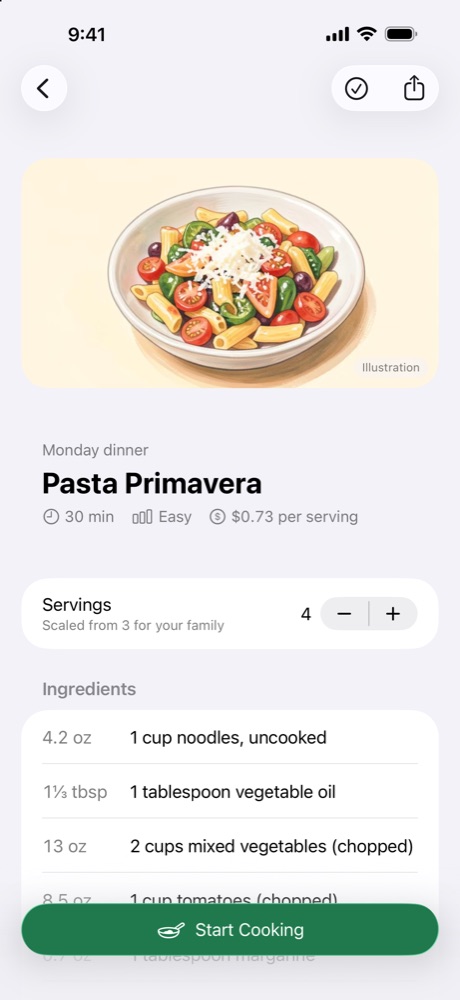
Amounts scaled for your family, one step at a time, with timers that show on your Lock Screen and ring even when the app is closed.
“We’re having 6 people over Saturday. Budget can go up $30.”
Apple Intelligence on your device rewrites the week. Every change is checked again for allergies and diets, and nothing changes until you tap Apply. It also works in Spanish.
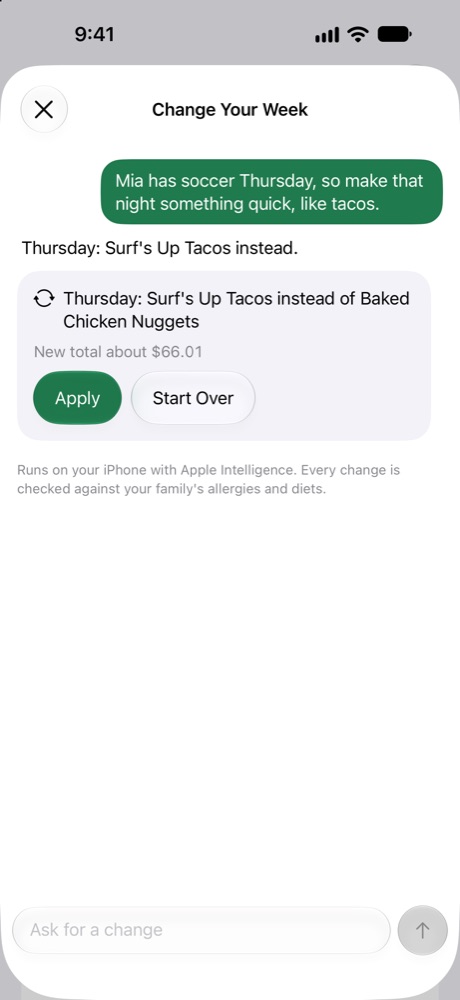
Every dinner, swap and change is checked against each person’s allergies and diet by the app’s own rules. By default an allergen stays off the whole week’s menu, not just one plate.
Always check labels on what you buy. Kindly Fed isn’t medical advice.
Every plan covers your Family Sharing group. No weekly subscriptions.
$0
Your whole menu, plus one full dinner and its shopping list every week.
$1.99 a month
7 days free, then monthly. Every recipe, the full list, swaps and Ask.
$14.99 a year
7 days free. We remind you on day 5, before you’re charged.
$29.99 once
Pay once, keep it for good.
US prices shown; the App Store shows yours in your currency. Cancel any time in Settings › your name › Subscriptions.
How Kindly Fed handles the grocery list, food allergies and different diets, and a tight budget. Or browse example weeks planned for real families.
Most come from USDA MyPlate Kitchen, a public collection of tested family recipes, and we rewrote every step in plain words. We also wrote our own family classics, like spaghetti and meatballs, lasagna and cottage pie. Dish pictures are illustrations, and they’re labeled that way.
No. There’s nothing to sign up for. Your family’s details stay on your device, and sharing the week with family goes through your own iCloud.
In the US, pick a Kroger family store (Kroger, Ralphs, King Soopers, Fred Meyer, Harris Teeter and more) and the list uses its shelf prices. Everything else is our estimate, marked Est. Scan a receipt and we use what you actually paid.
Yes. Planning, allergy checks, the shopping list and cooking all work without it. Only changing the week in a sentence needs Apple Intelligence.
Apple handles purchases. To cancel, open Settings on your iPhone or iPad, tap your name, then Subscriptions. To restore, open Kindly Fed › Settings › Restore Purchases.
Email support@kindlyfed.com and we’ll get back to you.